
Solar Battery Backup Runtime Calculator
Estimate how long a home battery may support critical loads during an outage, whether its continuous power can carry the planned running load, whether published short-duration battery power can cover a motor-start surge, whether available daytime solar can recharge the battery fast enough, and how the same system behaves across a 72-hour sequence of changing solar conditions.
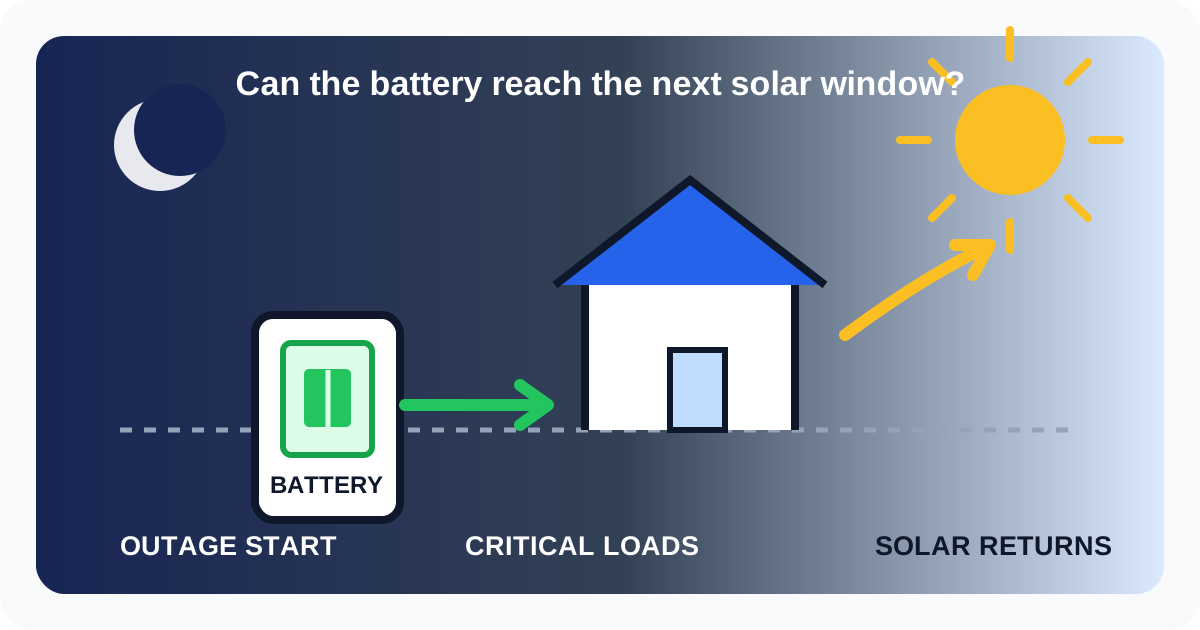
The hardest part of an outage can be reaching the next solar window
A daily solar estimate can look adequate while the battery still runs out overnight. The calculator therefore checks the energy available at the actual starting state of charge against the critical-load energy needed before meaningful solar production can return. It also separates available PV power from the battery's own charging limit, because a large array does not guarantee that storage can absorb all of that power at once.
Real battery presets
Start with a battery from the Home Solar Atlas catalog
Selecting a product updates usable capacity per battery only. Battery count, reserve, average critical load and efficiency remain independent screening inputs.
Save or share this outage scenarioThe link stores battery, starting SOC, preset and custom loads, any preset value overrides, reserve, runtime target, sizing basis, efficiency and optional solar-recharge assumptions.
Backup load planner
Estimate outage load from the circuits you want to keep running
Select representative household loads, adjust the assumptions for your own equipment or add one custom load. The planner estimates an average runtime load and a conservative simultaneous peak, then can apply both values to the calculator.
Adjust selected preset values
Use measured or manufacturer values when you know them
The preset numbers are only starting assumptions. Editing them updates planner totals, load shedding analysis and the shared scenario.
| Selected load | Average kW | Peak kW | Default |
|---|---|---|---|
| RefrigeratorUsing default screening values | 0.12 / 0.80 kW | ||
| LED lightingUsing default screening values | 0.12 / 0.30 kW | ||
| Wi-Fi + electronicsUsing default screening values | 0.10 / 0.25 kW |
Estimated average load0.34 kWUsed for runtime screening.
Estimated simultaneous peak1.35 kWUsed for continuous-power screening.
Selected loads3Refrigerator, LED lighting, Wi-Fi + electronics
Load shedding impact
Which selected load is most valuable to turn off during an outage?
Each row removes one selected planner load, including adjusted preset values and the custom load when enabled, then recalculates the planner average and simultaneous peak. Battery-unit impact is shown when a catalog battery is selected.
| Temporarily turn off | Average after | Peak after | Units by runtime | Units by power | Minimum units | Battery units saved |
|---|---|---|---|---|---|---|
| RefrigeratorRemoves 0.12 kW average and 0.80 kW peak from the planner scenario. | 0.22 kW | 0.55 kW | 1 | - | Select battery | Select battery |
| LED lightingRemoves 0.12 kW average and 0.30 kW peak from the planner scenario. | 0.22 kW | 1.05 kW | 1 | - | Select battery | Select battery |
| Wi-Fi + electronicsRemoves 0.10 kW average and 0.25 kW peak from the planner scenario. | 0.24 kW | 1.10 kW | 1 | - | Select battery | Select battery |
This what-if table uses the planner loads, current target runtime, sizing basis, reserve and selected battery specifications. It is a circuit-prioritization screen, not a recommendation to interrupt medically necessary or safety-critical equipment.
Preset values, adjusted values and custom values are planning inputs, not appliance nameplate guarantees. HVAC compressors, pumps and other motors can have startup surges above the values shown. Use measured or manufacturer data when available and confirm critical-circuit wattage and surge requirements with the battery/inverter installer before purchase.
113.5 kWhinstalled usable storage
→22.7 kWh20% held in reserve
→32.4 kWhafter 90% efficiency
→41.6 hoursat 1.5 kW average load
Solar recharge during outage
How much could daytime solar reduce the daily battery deficit?
The baseline runtime above remains battery-only. This optional screening estimates daily solar energy separately so cloudy-weather and system-operating uncertainty are not hidden inside the core runtime result.
Solar-recharge screening is intentionally separate from the battery-only runtime above. The pre-solar survival check tests whether starting-SOC delivered energy can carry the current average critical load until the first modeled solar window. Required starting SOC converts that same pre-solar energy need back into the minimum battery charge percentage for the installed usable capacity and current delivery efficiency. It is an operational planning target, not a battery-sizing rule. Starting-SOC multi-day support then uses delivered energy at the selected state of charge divided by the modeled daily deficit after solar. Weather percentages are simple stress-test multipliers, not a forecast. This section does not model hourly PV production, clouds, shading, inverter islanding limits, battery charge-power limits, minimum state of charge, direct daytime load serving or whether the solar system is configured to operate during a grid outage.
Continuous-power screening
Can the selected battery support your peak outage load?
Runtime uses average kW. This separate check compares a higher simultaneous-load target with published continuous battery power.
Combined sizing recommendation
How many batteries meet both your runtime and power targets?
Choose whether the runtime target must fit inside the full modeled usable battery or inside the reserve-only energy you intentionally hold for outages.
Full-battery sizing assumes the target runtime can use the entire modeled usable battery capacity. Starting state of charge is intentionally excluded from sizing because it is an operating condition, not installed system capability. The reserve percentage remains a separate operating scenario until you switch the sizing basis to Reserve-only energy.
Battery target comparison
Compare all catalog batteries against the same outage target
Every row uses 1.5 kW average load, 8 hours of target runtime, 5.0 kW peak load, 90% delivered-energy efficiency and the full-battery sizing basis.
| Battery | Per-unit capacity | Continuous power | Units by runtime | Units by power | Sizing driver | Minimum units | Recommended system | Use |
|---|---|---|---|---|---|---|---|---|
| Tesla Powerwall 3See Tesla current technical documentation | 13.5 kWh | 11.50 kW | 1 | 1 | Both | 1 | 13.5 kWh11.50 kW continuous | |
| Enphase IQ Battery 5PSee current Enphase datasheet | 5.0 kWh | 3.84 kW | 3 | 2 | Runtime | 3 | 15.0 kWh11.52 kW continuous | |
| FranklinWH aPower 2Lithium iron phosphate (LFP) | 15.0 kWh | 10.00 kW | 1 | 1 | Both | 1 | 15.0 kWh10.00 kW continuous |
Sizing driver identifies which constraint sets the minimum battery count for each model. Runtime means the energy target requires more units, Peak power means the continuous-kW target requires more units, and Both means the two requirements produce the same count. A lower unit count does not by itself mean a better battery. Compare installed cost, warranty, inverter compatibility, backup architecture and installer support before choosing equipment.
Load sensitivity
How long the same battery lasts at different household loads
Runtime changes almost inversely with average load. Use this table to see why reducing nonessential loads during an outage can matter as much as adding storage.
| Backup scenario | Average load | Reserve-only runtime | Full-battery runtime |
|---|---|---|---|
| Light essentialsFridge, networking, a few lights and electronics | 0.4 kW | 6.1 hours | 30.4 hours |
| Typical essentialsMore lighting, refrigeration and small household loads | 0.8 kW | 3.0 hours | 15.2 hours |
| Essentials + cycling HVACModerate average load with heating or cooling cycling | 1.8 kW | 1.4 hours | 6.8 hours |
| High household backupSeveral larger loads operating during the outage | 3.0 kW | 0.8 hours | 4.0 hours |
| Heavy simultaneous loadHigh average demand; verify inverter and battery kW limits | 5.0 kW | 0.5 hours | 2.4 hours |
Screening estimate only. Actual outage runtime depends on battery state of charge when the outage starts, inverter and battery power limits, temperature, battery age, HVAC duty cycle, motor-start loads, solar production during the outage, manufacturer reserve behavior and which circuits are backed up. The continuous-power check uses the first published continuous-kW value stored for the selected catalog battery and does not model short-duration surge capability.
Motor-start and short surge screen
Can the battery carry a short startup surge?
Runtime and continuous power are not the whole story for compressors, pumps and other motor loads. This screen compares a user-entered short surge target with the peak-kW values published in the Home Solar Atlas battery catalog when those values can be compared directly.
Share the outage scenario with surge settingsThis preserves the current runtime URL parameters and adds the running-load, battery-count, startup-kW and surge-duration assumptions from this screen.
Catalog surge comparison
Compare published continuous and short-duration power
The minimum unit count below combines the running-load requirement with a short surge requirement only when the manufacturer data stored in the catalog is expressed in kW for a sufficient duration.
| Battery | Continuous / unit | Published peak | Peak usable for 3 sec | Units by continuous | Units by surge | Minimum units | Use |
|---|---|---|---|---|---|---|---|
| Tesla Powerwall 3See Tesla current technical documentation | 11.50 kW | Motor-start capability rated to 185 LRA | Not directly comparable | 1 | Data gap | Data gap | - |
| Enphase IQ Battery 5PSee current Enphase datasheet | 3.84 kW | 7.68 kW for 3 seconds; 6.14 kW for 10 seconds | 7.68 kW | 2 | 1 | 2 | |
| FranklinWH aPower 2Lithium iron phosphate (LFP) | 10.00 kW | 15 kW for 10 seconds | 15.00 kW | 1 | 1 | 1 |
This is a screening calculation, not a guarantee that a motor will start. Manufacturer peak ratings are not always published in comparable units: for example, a motor-start rating expressed in locked-rotor amps cannot be converted to a reliable kW requirement here without the specific motor voltage, power factor, starting method and system details. Published per-unit peak capability is also not assumed to scale perfectly in every multi-battery architecture. Soft starters, variable-speed compressors, inverter topology, battery state of charge, temperature and manufacturer controls can change real startup behavior. Confirm final surge compatibility with current battery/inverter documentation and the installer.
Solar recharge window
Can the battery recharge enough before the solar window ends?
This screen subtracts the average backed-up household load from available solar power, then caps the remaining charging power at the battery-system charge limit before estimating stored energy and end-of-window state of charge.
Save the recharge-window assumptionsThe link preserves the current outage scenario, target SOC, total charge-power limit and whether that limit came from a verified per-unit catalog value or a manual system assumption.
Charge-rate comparison
How the catalog batteries behave under the same solar window
Each row uses 1 battery unit, 30% starting SOC, 90% target SOC, 3.5 kW net solar after loads and 90% solar-to-stored efficiency. Rows without an explicit manufacturer charge limit remain a data gap rather than using an inferred value.
| Battery | System storage | Published charge limit | Accepted solar | Energy to target | Time to target | Window result |
|---|---|---|---|---|---|---|
| Tesla Powerwall 3Powerwall 3 itself is rated for 5 kW maximum continuous AC charge power. Tesla lists 8 kW for one Powerwall 3 with up to three Expansion units, so expansion-based systems should use the manual system charge-limit override instead of simple per-unit scaling. | 13.5 kWh | 5.0 kW | 3.5 kW | 8.1 kWh | 2 h 34 min | Target reached |
| Enphase IQ Battery 5PThe current North American IQ Battery 5P datasheet publishes continuous and peak AC output plus round-trip efficiency, but this Home Solar Atlas review did not find a separate maximum continuous charge-power value. Enter a current manufacturer or installer system charge limit before relying on the charge-window result. | 5.0 kWh | Data gap | - | 3.0 kWh | Unavailable | Needs verified charge limit |
| FranklinWH aPower 2FranklinWH publishes 8 kW continuous real charge power for aPower 2. Multi-battery system behavior still depends on aGate design, conductors, controls and the installed architecture. | 15.0 kWh | 8.0 kW | 3.5 kW | 9.0 kWh | 2 h 51 min | Target reached |
This is a simplified energy screen. It assumes average solar power and average backed-up load across the entered window and does not model minute-by-minute PV output, battery taper near high SOC, thermal derating, state-dependent charge limits, utility/export controls, AC/DC clipping or manufacturer-specific multi-battery power sharing. A published per-unit charge rating is not a guarantee that every multi-unit architecture scales linearly. Use the current system design documentation and installer commissioning limits for final sizing.
72-hour outage simulator
Will the battery make it through three changing solar days?
This simplified time-step model follows battery state of charge across 72 hours. It serves the backed-up load first, uses solar directly when available, charges from surplus solar subject to the system charge-power limit, and records the first time the battery can no longer fully support the modeled load.
Real battery presets
Start with a battery from the Home Solar Atlas catalog
Selecting a model loads its usable capacity and, where directly verified, its current per-unit continuous charge-power limit. Other outage assumptions remain unchanged.
Three-day solar sequence
Stress-test changing weather instead of assuming every day is identical
Each percentage scales the entered base solar power during that day's effective solar window. 100% means the full base assumption; 25% means one quarter of it.
72-hour battery sizing
How many full battery units pass this exact weather scenario?
The same load, starting SOC, efficiencies, solar timing and three daily weather multipliers are re-run from one through ten full battery units. If a verified per-unit catalog charge limit is active, charging power scales with the candidate battery count; a manual system limit stays fixed.
| Battery units | Usable storage | Charge limit used | 72-hour result | Lowest SOC | End SOC |
|---|---|---|---|---|---|
| 1 | 13.5 kWh | 5.0 kW | Interrupts at 8 h 6 min | 0% | 0% |
| 2 | 27.0 kWh | 5.0 kW | Interrupts at 23 h 26 min | 0% | 0% |
| 3 | 40.5 kWh | 5.0 kW | Interrupts at 31 h 32 min | 0% | 0% |
| 4 | 54.0 kWh | 5.0 kW | Interrupts at 44 h 11 min | 0% | 0% |
| 5 | 67.5 kWh | 5.0 kW | Interrupts at 52 h 17 min | 0% | 0% |
| 6 | 81.0 kWh | 5.0 kW | Interrupts at 69 h 47 min | 0% | 0% |
| 7 | 94.5 kWh | 5.0 kW | Pass | 10% | 10% |
| 8 | 108.0 kWh | 5.0 kW | Pass | 22% | 22% |
| 9 | 121.5 kWh | 5.0 kW | Pass | 30% | 30% |
| 10 | 135.0 kWh | 5.0 kW | Pass | 37% | 37% |
“Minimum passing” means only that this simplified energy simulation serves the modeled average critical load for 72 hours. It does not verify continuous output, motor-start surge, inverter compatibility, code requirements or manufacturer limits on the number and configuration of batteries.
72-hour battery comparison
Which current catalog battery needs the fewest full units for this exact outage scenario?
Every battery is rerun against the same starting SOC, average critical load, solar window, three-day weather sequence and efficiencies. Verified per-unit charge limits scale with battery count. The comparison also shows how many units are needed to keep a user-selected minimum SOC floor instead of merely reaching the end of the 72-hour scenario.
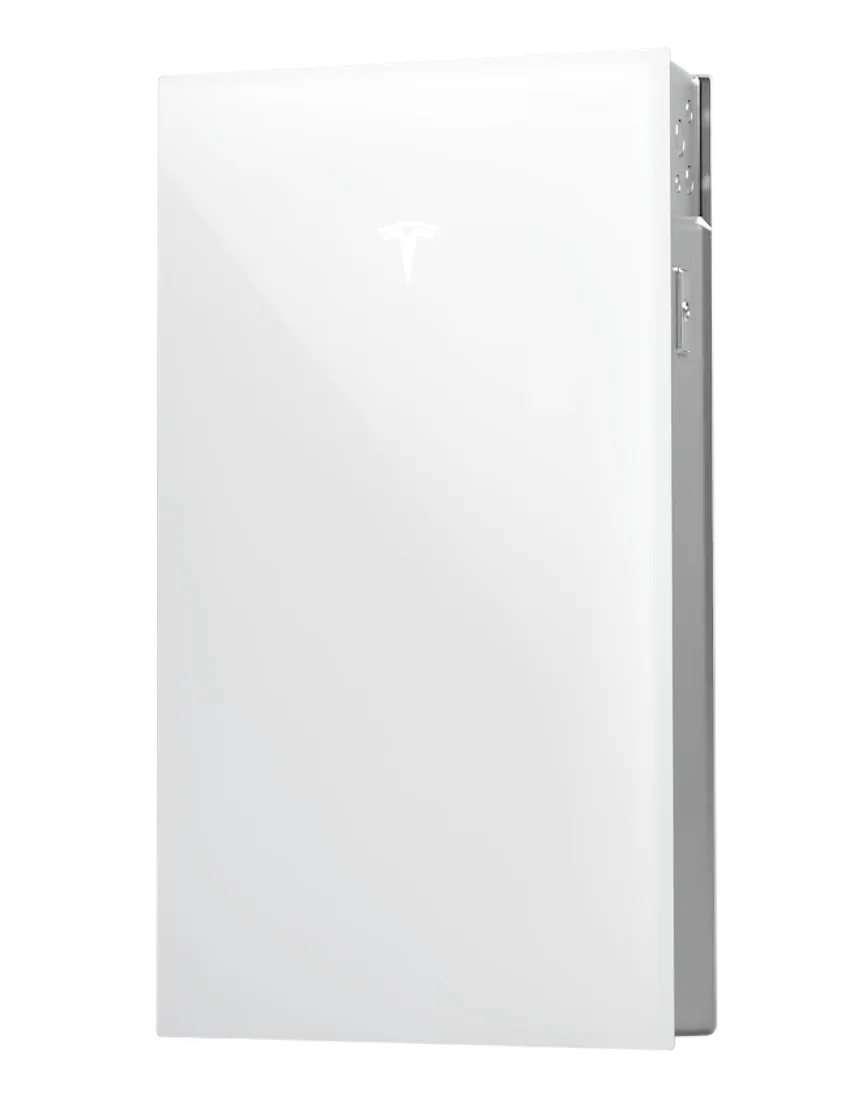
13.5 kWh / unit11.50 kW continuous / unit
7 units to pass94.5 kWh usable · 10% lowest SOC
8 units for ≥20% SOC108.0 kWh usable · 22% modeled minimum SOC.
35.0 kW charge limit usedVerified per-unit charge power; reviewed 2026-08-29.
80.50 kW installed continuous output10% modeled SOC after 72 hours. Continuous output is context only; this comparison does not know the scenario's simultaneous peak load.
Open full battery profile →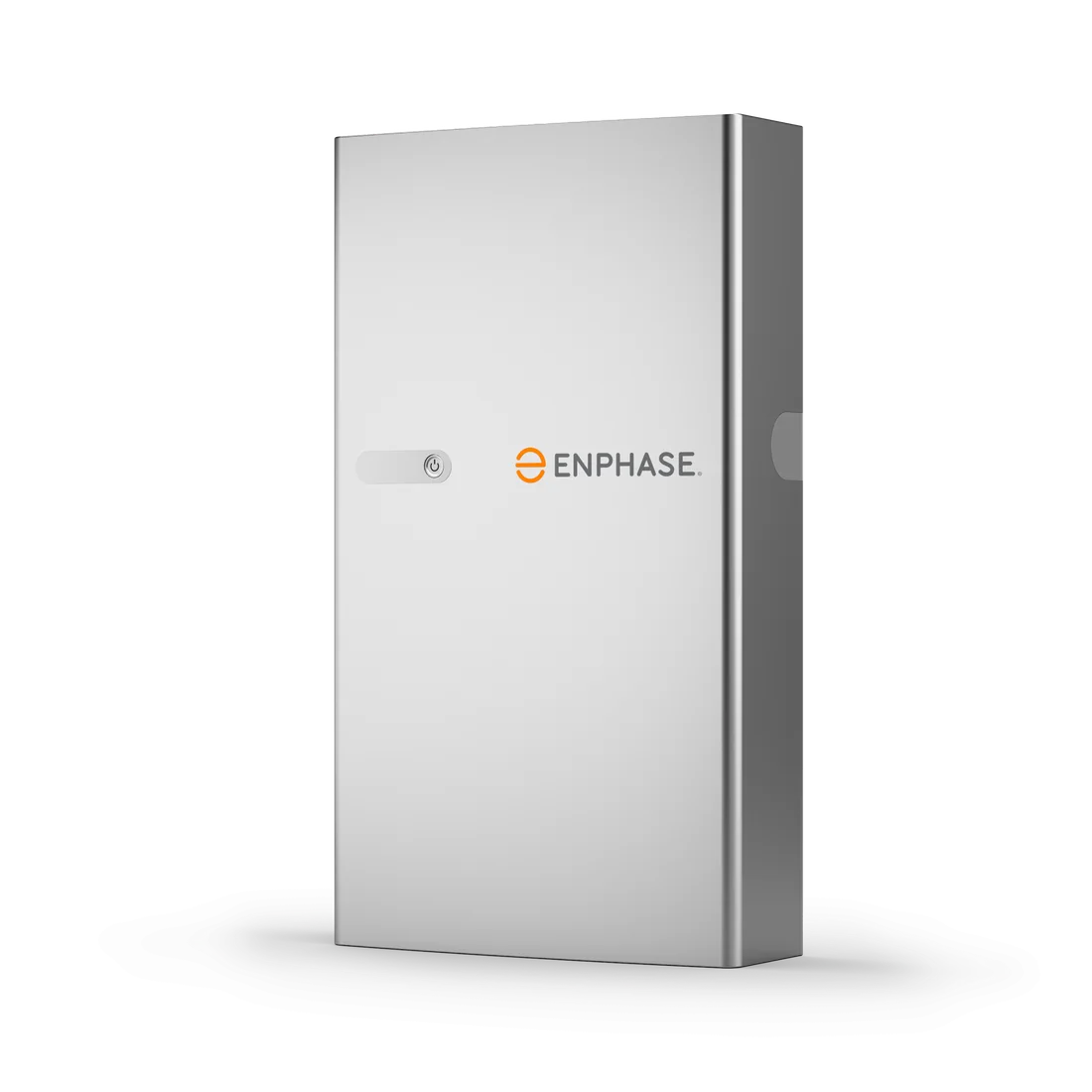
5.0 kWh / unit3.84 kW continuous / unit
No pass ≤10 unitsThe modeled energy scenario is not maintained within the 10-unit screen.
No ≥20% floor ≤10 unitsNo candidate within the 10-unit screen both serves the load and retains the selected SOC floor.
5.0 kW comparison fallbackCharge-power data gap: the explicit comparison fallback is held fixed while unit count changes.
Open full battery profile →
15.0 kWh / unit10.00 kW continuous / unit
6 units to pass90.0 kWh usable · 6% lowest SOC
8 units for ≥20% SOC120.0 kWh usable · 29% modeled minimum SOC.
48.0 kW charge limit usedVerified per-unit charge power; reviewed 2026-08-29.
60.00 kW installed continuous output6% modeled SOC after 72 hours. Continuous output is context only; this comparison does not know the scenario's simultaneous peak load.
Open full battery profile →| Battery | Minimum pass | Units for SOC floor | Usable storage at minimum | Charge limit at minimum | Installed continuous output | Lowest SOC | Charge-data basis |
|---|---|---|---|---|---|---|---|
| Tesla Powerwall 3 | 7 | 8 for ≥20% | 94.5 kWh | 35.0 kW | 80.50 kW | 10% | Verified per-unit limit |
| Enphase IQ Battery 5P | >10 | >10 for ≥20% | - | - | - | - | Explicit comparison fallback |
| FranklinWH aPower 2 | 6 | 8 for ≥20% | 90.0 kWh | 48.0 kW | 60.00 kW | 6% | Verified per-unit limit |
Quote-based resilience economics
What do the minimum-pass and reserve-floor configurations cost using your installer quote?
Enter the installed price for the first battery and, when multiple units may be needed, the installed incremental price for each additional battery. Home Solar Atlas does not prefill MSRP or market-price assumptions here.
| Battery | Minimum-pass config | Minimum-pass cost | Cost / usable kWh | ≥20% SOC config | Reserve-floor cost | Added cost for reserve margin |
|---|---|---|---|---|---|---|
| Tesla Powerwall 3 | 7 units · 94.5 kWh | Enter quote pricing | - | 8 units · 108.0 kWh | Enter quote pricing | - |
| Enphase IQ Battery 5P | No pass ≤10 | - | - | No ≥20% floor ≤10 | - | - |
| FranklinWH aPower 2 | 6 units · 90.0 kWh | Enter quote pricing | - | 8 units · 120.0 kWh | Enter quote pricing | - |
Pricing entered here stays only in this page state and is not added to the shareable outage URL. Imported Quote Analyzer, Quote Compare, Battery Quote Calculator or Compare Battery Quotes package pricing stays in browser session storage and is not extrapolated to other battery counts. The configurable estimate below assumes the first-unit installed price plus the same entered incremental installed price for each additional full battery. If an installer quote uses a different multi-unit discount, gateway allocation or bundled scope, enter figures that reflect that quote instead of treating this as a market-price estimator. Incentives, financing, tax treatment and future operating costs are not modeled here.
The SOC-floor count is still a simplified energy screen, not a guaranteed emergency reserve. This comparison is not a product ranking and does not establish total installed cost unless you enter your own quote pricing below, expansion architecture, code compliance, inverter compatibility, whole-home transfer design, motor-start capability or warranty suitability. A row using the fallback assumption should be rerun with current manufacturer or installer data before making an equipment decision.
72-hour solar sizing
How much base solar power is needed for this exact battery and load scenario?
The simulator searches from 0 to 30 kW of average available AC solar during a 100% solar window in 0.1 kW steps. Battery capacity, starting SOC, load, efficiencies, solar timing, charge-power limit and the three daily weather multipliers stay fixed.
| Weather stress test | Daily multipliers | Minimum base solar | Threshold lowest SOC |
|---|---|---|---|
| Stormy stretchVery weak solar for two days, then partial recovery. | 20% · 25% · 40% | No pass ≤30 kW | - |
| Mixed weatherA moderate first day, cloudy second day and stronger third day. | 60% · 35% · 80% | No pass ≤30 kW | - |
| Clear weatherUses the full entered solar assumption on all three days. | 100% · 100% · 100% | No pass ≤30 kW | - |
The weather table uses a coarser 0.25 kW search step for quick sensitivity screening. The custom sequence above uses 0.1 kW. A lower threshold does not establish a final PV array size because real outage PV follows a changing irradiance curve and is constrained by roof, inverter, islanding and weather conditions.
72-hour critical-load budget
How much average backed-up load can this battery + solar scenario sustain?
The calculator searches average critical load from 0.1 to 20 kW in 0.1 kW steps while keeping storage, starting SOC, solar power, solar timing, weather multipliers, efficiencies and the charge-power limit fixed.
The load budget is a constant-average screening result. Real refrigerators, HVAC, pumps and other circuits cycle and surge, so a 1.0 kW average load is not equivalent to a flat 1.0 kW electrical demand at every moment.
72-hour circuit shedding
Which backup circuits could turn a failed three-day scenario into a pass?
The advisor reruns the same 72-hour simulation after removing combinations of selected planning circuits. It first minimizes the number of shutdowns, then prefers the passing option that removes the least average load.
Planning circuits
Choose which loads are actually eligible for shedding
Generic values are screening assumptions. When this page is opened from a saved outage-planner scenario, adjusted preset values and any custom load are restored from the URL.
Circuit shedding is an energy-planning screen. Turning off a circuit may be impractical or unsafe depending on weather, medical needs, water systems, refrigeration, building conditions and household priorities. The generic average and peak values are not a substitute for measured loads or equipment documentation.
Daily resilience summary
Where the battery gains and loses energy
Solar serves the critical load first. Only surplus solar can charge the battery, and charging is capped by the entered system power limit.
| Outage day | Solar assumption | Start SOC | PV generated | Solar direct to load | Stored from solar | Surplus not stored | Battery to load | Lowest SOC | End SOC | Unserved load |
|---|---|---|---|---|---|---|---|---|---|---|
| Day 160% of base solar | 60% | 100% | 12.0 kWh | 6.0 kWh | 5.4 kWh | 0.0 kWh | 17.0 kWh | 0% | 0% | 13.0 kWh |
| Day 235% of base solar | 35% | 0% | 7.0 kWh | 6.0 kWh | 0.9 kWh | 0.0 kWh | 0.8 kWh | 0% | 0% | 29.2 kWh |
| Day 380% of base solar | 80% | 0% | 16.0 kWh | 6.0 kWh | 9.0 kWh | 0.0 kWh | 8.1 kWh | 0% | 0% | 21.9 kWh |
Save or share this 72-hour resilience scenarioThe link preserves battery, named backup circuits, adjusted/custom loads, average load, efficiency, solar timing, charge-power limit, whether that limit is catalog-scaled or manual, and all three daily solar multipliers.
This is a simplified 15-minute time-step screening model, not an outage forecast or equipment dispatch controller. Solar is represented as a flat average power level during each effective solar window rather than an irradiance curve. It does not model temperature, battery degradation, high-SOC charge taper, dynamic household loads, inverter clipping, generator operation, manufacturer-specific reserve logic or every multi-battery power-sharing rule. A simulated pass is not a guarantee of real outage performance.
Solar-window storage advisor
How much battery is needed to make it to the next solar window?
This quick screen isolates the hours before meaningful solar production returns. It is useful for evening, overnight and storm-outage planning.
Real battery comparison
How many catalog batteries cover the same pre-solar energy target?
Each card uses published usable capacity from the Home Solar Atlas equipment catalog and rounds up to a whole-battery count.
2 units13.5 kWh each
27.0 kWh total usable storage4 units5.0 kWh each
20.0 kWh total usable storage2 units15.0 kWh each
30.0 kWh total usable storageThis is an energy-only screening calculation. The real-battery comparison does not verify continuous kW, motor-start surge, inverter compatibility, battery reserve rules, weather, hourly solar production or whether the solar system can operate while the grid is down. Use in runtime calculator preserves the current scenario parameters where available, replaces the battery and whole-unit count, and carries the current average load, efficiency and pre-solar wait time into the main screening above, where continuous-power fit can be checked separately.
Pre-solar load shedding
What could you turn off to make it to the next solar window?
Each option temporarily removes selected planning loads and recalculates both the energy needed before meaningful solar production returns and the simultaneous peak-load screening value.
Solar-window presets
Start with a typical outage timing assumption
These shortcuts are planning assumptions only. They are not sunrise calculations, weather forecasts or location-specific solar predictions.
Planning loads
Select the circuits included before the solar window
Saved adjusted average and peak values and a saved custom load are used when present. Otherwise these remain generic screening assumptions.
One-load-at-a-time test
Which temporary shutdown changes the pre-solar outcome?
Successful interventions are shown first, followed by the options that leave the largest remaining energy margin. Applying an option reopens the main runtime calculator with both average and peak load recalculated.
| Temporarily turn off | Average load after | Peak load after | Energy needed before solar | Starting-SOC margin | Reaches solar? | Apply |
|---|---|---|---|---|---|---|
| RefrigeratorRemoves 0.12 kW average and 0.80 kW peak. | 0.22 kW | 0.55 kW | 2.2 kWh | +10.0 kWh | Yes | |
| LED lightingRemoves 0.12 kW average and 0.30 kW peak. | 0.22 kW | 1.05 kW | 2.2 kWh | +10.0 kWh | Yes | |
| Wi-Fi + electronicsRemoves 0.10 kW average and 0.25 kW peak. | 0.24 kW | 1.10 kW | 2.4 kWh | +9.8 kWh | Yes |
Applying a shedding option creates a new runtime-calculator scenario with the selected load or loads removed, average critical load recalculated and planner simultaneous peak recalculated. The minimum-intervention recommendation optimizes only for the smallest number of shutdowns and then the least average load removed. It does not know which circuits are most important to your household. Peak values are screening assumptions and do not model motor-start surge. Do not shed medically necessary, life-safety or other critical equipment based on this tool. Energy-only pre-solar survival screening does not model continuous inverter limits, hourly solar production, weather, battery minimum SOC or whether the solar system can operate during a grid outage.
How to use this calculator
Start with a real battery preset or enter usable capacity per unit and battery count manually. Set the actual starting state of charge, backup reserve and average critical load. Use the load planner to select representative circuits, adjust the preset wattage assumptions when you know measured or manufacturer values, and add a custom load when needed.
Then set a realistic simultaneous running load. Runtime is an energy question measured in kWh, while the ability to run several appliances at once is a continuous-power question measured in kW. If the backup plan includes compressors, pumps or other motors, use the separate surge screen with the startup kW and required duration from the equipment documentation.
For solar-assisted backup, use the recharge-window screen to compare average available solar, the backed-up load that must be served first, the effective solar window, charging efficiency and the battery system's maximum charge power. Then use the 72-hour simulator to stress-test three consecutive solar days and compare whether the scenario is better solved with more storage, more modeled outage solar or a smaller average critical-load budget.
Battery-only runtime vs solar-assisted backup
The primary runtime results remain battery-only. Optional outage-solar inputs are evaluated separately: average solar power available to backed-up loads or charging, effective solar hours, conversion efficiency and the number of hours until solar production returns. The weather sensitivity table gives a quick static comparison, while the 72-hour simulator follows battery state of charge through repeated charge and discharge periods.
The recharge and multi-day screens add another constraint: solar must first support the modeled household load, and the remaining power may still be capped by the battery or system charging limit. This separation matters because a grid-tied solar array does not automatically keep operating during a blackout. Solar-assisted backup requires compatible islanding, inverter, transfer and battery architecture.
What the results can help you compare
Use the tool to compare critical-load strategies, battery models, battery counts, reserve settings, starting-SOC scenarios, short-duration startup requirements, recharge targets and multi-day weather sequences. The 72-hour sizing screens add minimum full battery count, minimum modeled base solar and maximum sustainable average critical load for the same energy scenario.
Important screening limits
This is a planning calculator, not an electrical design or an outage forecast. The 72-hour tool uses 15-minute calculation steps but represents solar as a flat average power level during each effective solar window rather than a true irradiance curve or forecast. It does not model generator interaction, battery degradation, cold-weather derating, dynamic appliance cycling, manufacturer-specific reserve logic, high-SOC charge taper or every multi-battery power-sharing rule. The short-surge screen only compares catalog ratings that are published in directly comparable kW and duration terms; ratings expressed in motor current such as LRA remain a data gap. Verify critical-circuit loads, motor-start requirements, islanding capability, charging limits and final equipment sizing with current product documentation and a qualified installer.